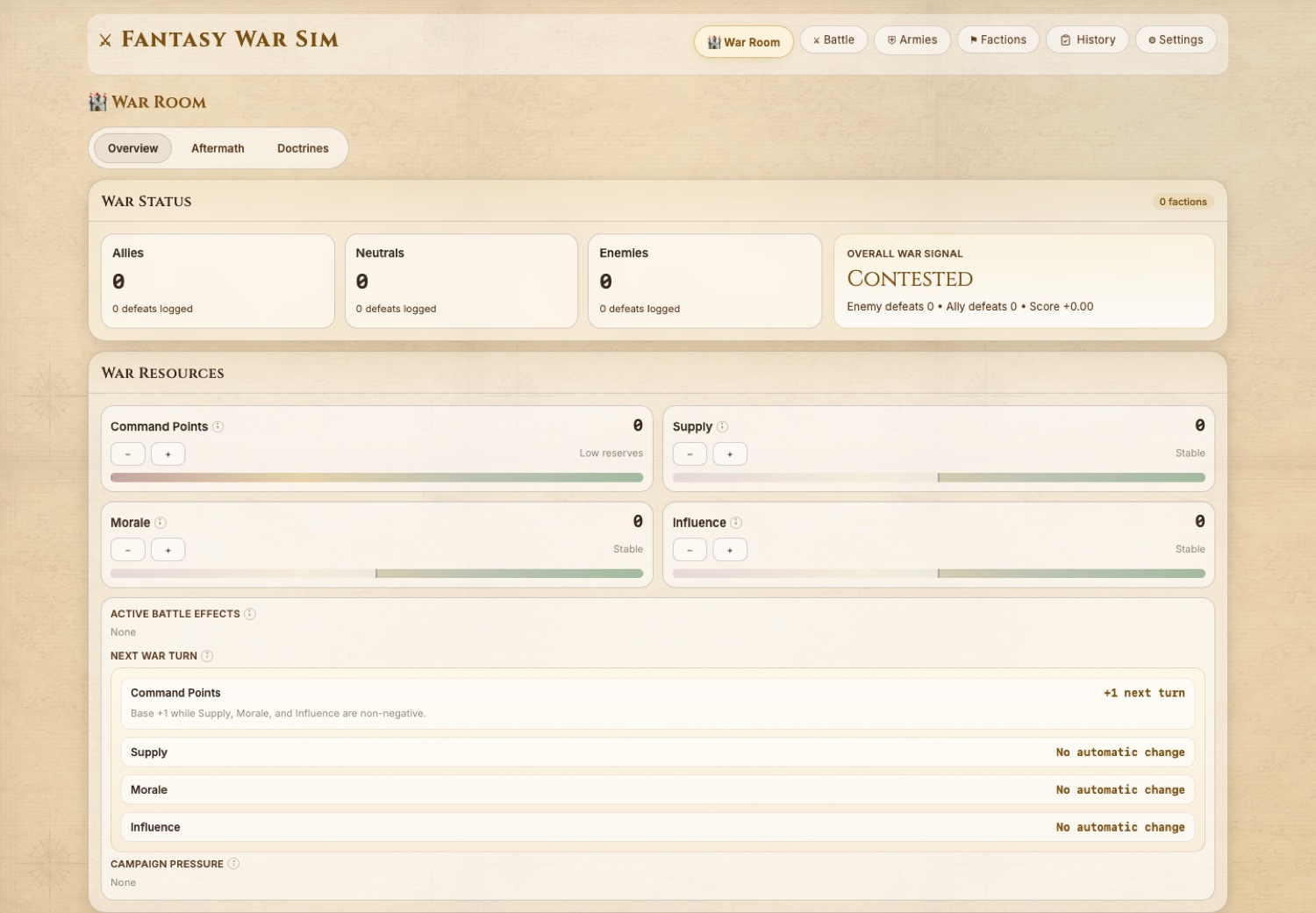
War Room
Campaign pressure is tracked at the level where a GM can make the front feel alive: resources, side pressure, turn flow, and active battle effects.
Peasants to Kings war encounter system
Fantasy War Sim is a browser-based battle and campaign-pressure tool I built for Peasants to Kings. It supports strategic war turns, army-vs-army resolution, morale and supply pressure, table-readable reports, and enough documentation for another GM to inspect the system instead of guessing what happened.
What This Proves
The war encounter work shows how I translate campaign chaos into playable procedure: players can act at army scale, zoom into cinematic scenes, and see consequences ripple through the wider war.
Peasants to Kings had moments where the story outgrew ordinary combat. The party was not only fighting enemies. They were influencing forces, morale, allies, enemies, supply, weather, and battlefield leverage.
I needed a way to run war without flattening player agency into a single narration. The simulator gives the table a shared procedure: set the armies, expose the dice math, resolve the battle, then carry the consequences back into the campaign.
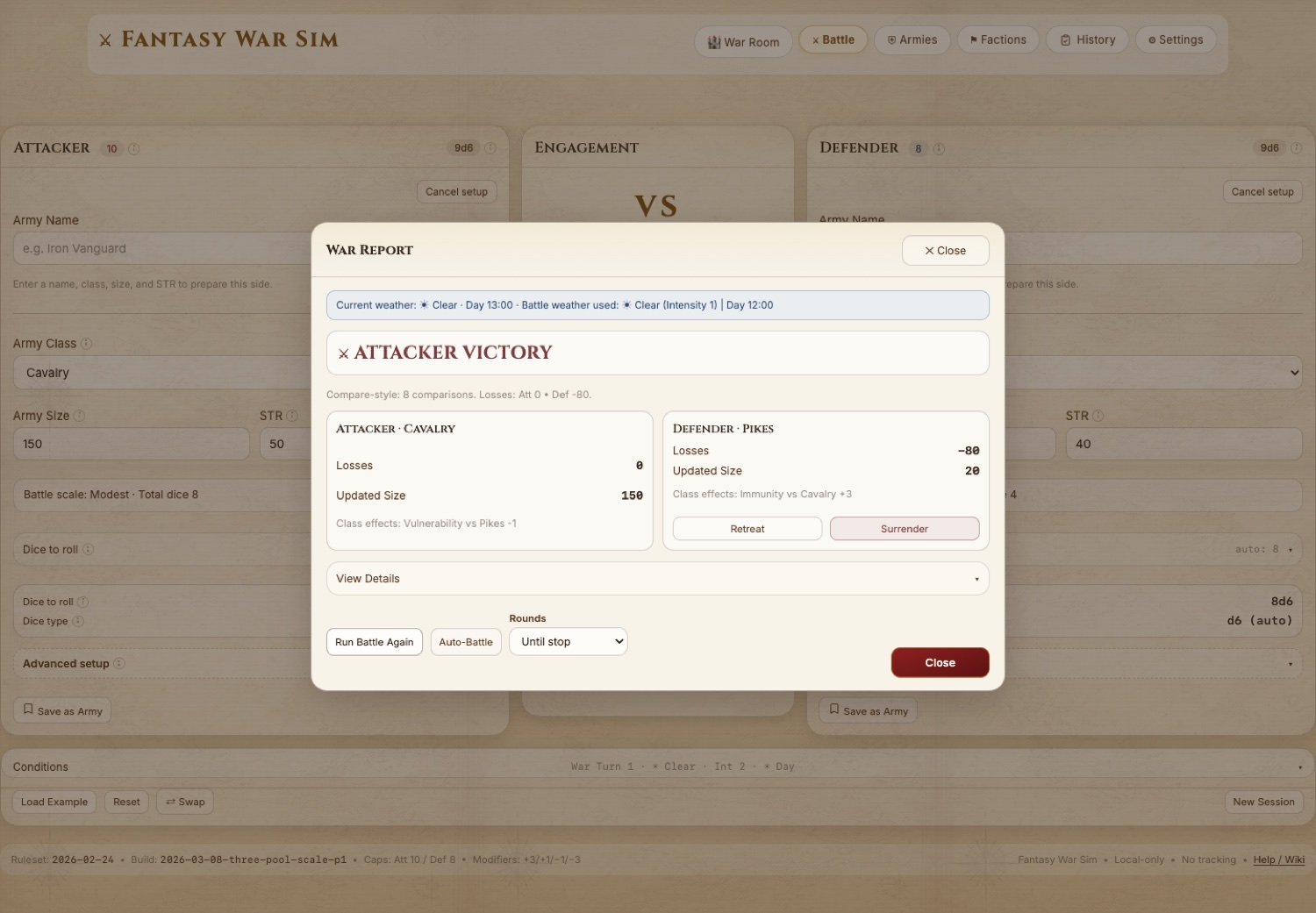
Inside The Simulator
The interface is intentionally plain-spoken: War Room for the wide view, Battle for engagement resolution, help and rulebook pages for quick table recovery.
Campaign pressure is tracked at the level where a GM can make the front feel alive: resources, side pressure, turn flow, and active battle effects.
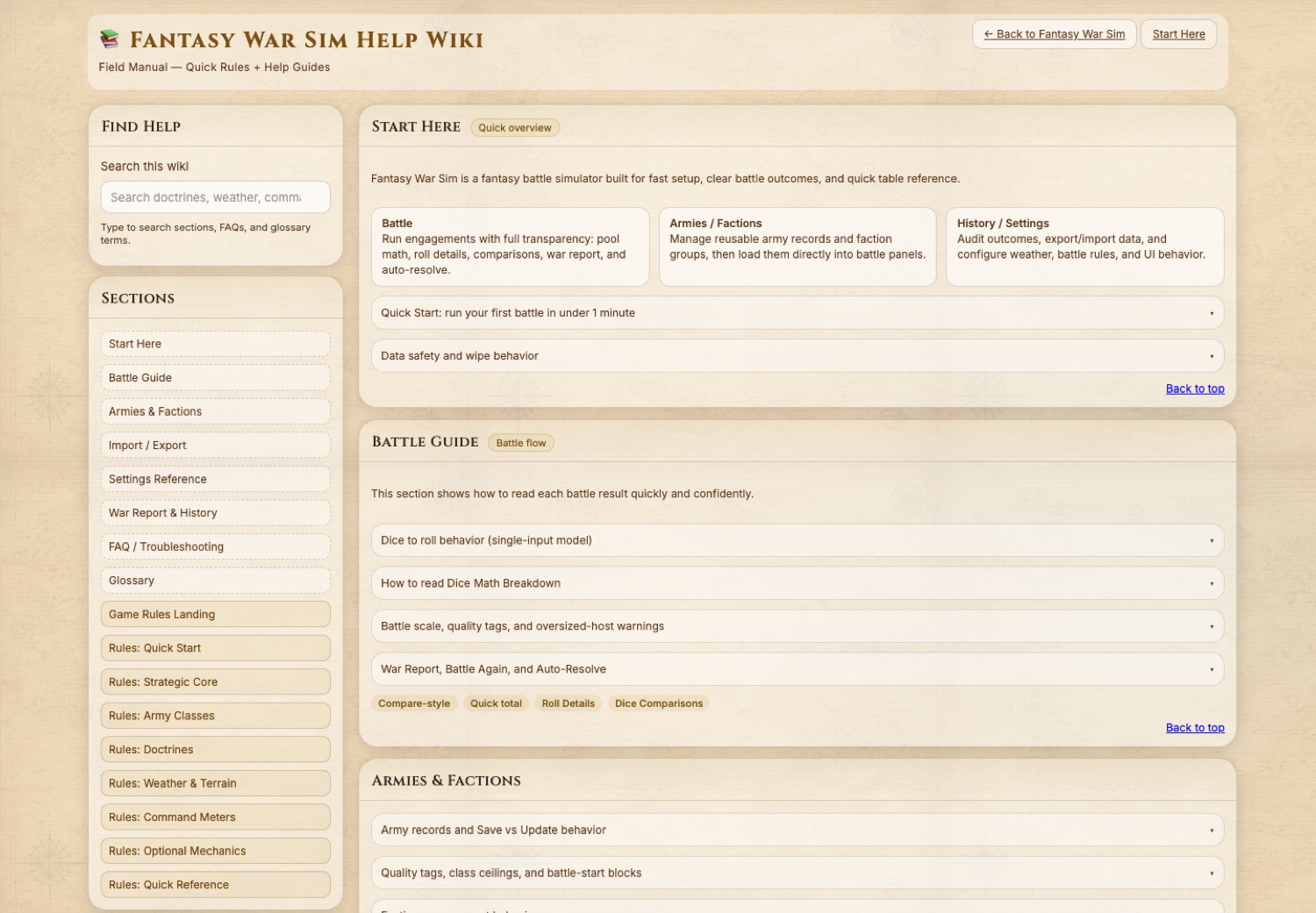
The help surface turns mechanics into table-use guidance, including quick start, Battle Guide, import/export, settings, and rule navigation.
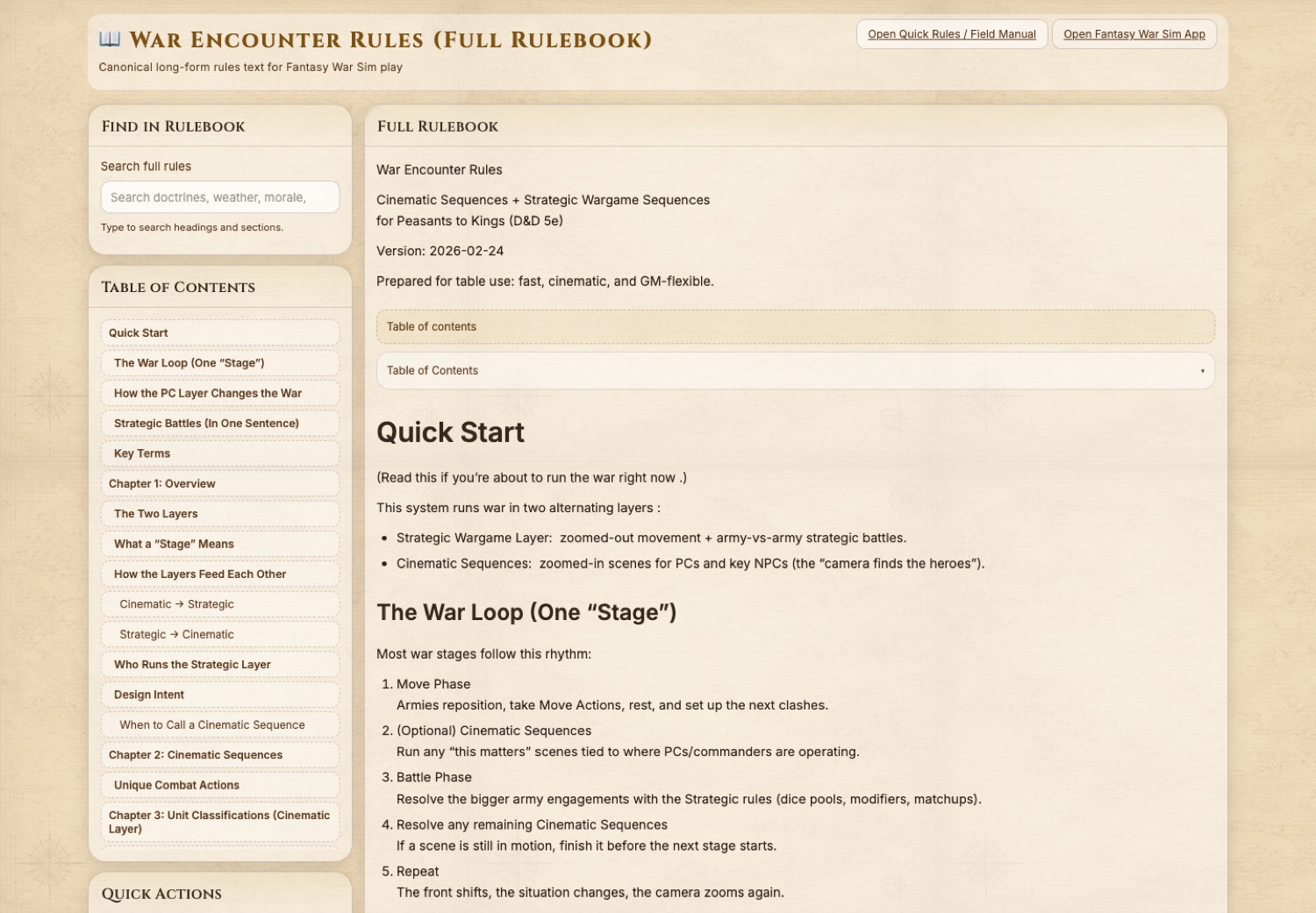
The long-form rules explain the two-layer structure: strategic war turns plus cinematic sequences where player choices can shift the wider battle.
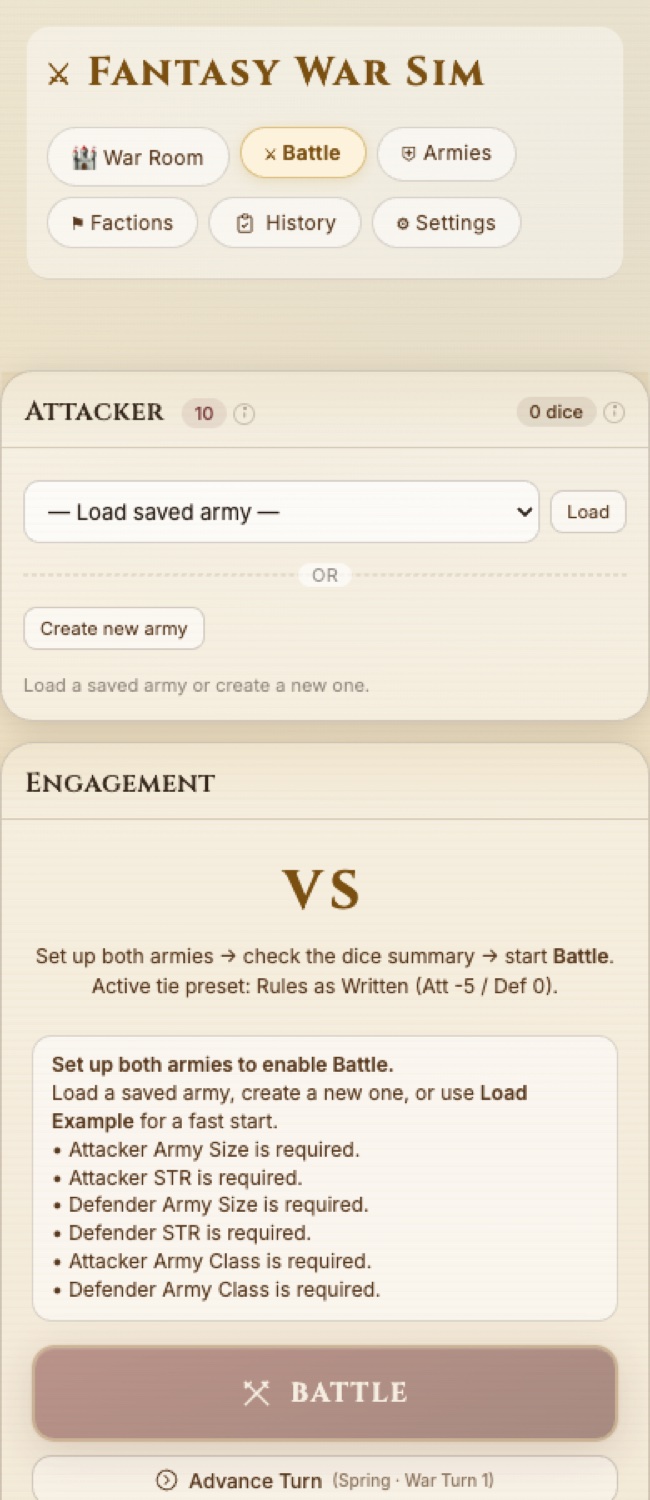
The simulator remains readable on a narrow screen, which matters when a GM is juggling notes, maps, Discord, and player questions during a live session.
How It Played
Players did not need to become wargame technicians all at once. The table could start with a clear strategic situation, zoom into character-scale scenes, then return to the war with changed leverage.
Set the armies, factions, weather, and campaign resources so the table understands what is at stake before any dice hit the table.
Use cinematic scenes for sabotage, command, rescue, diplomacy, or heroics that can change the army-scale battle instead of sitting beside it.
Run the battle, expose the report, then update the campaign state so victory, loss, morale, and pressure affect the next session.
Run Or Inspect It
The fastest path is the browser simulator repo. The GM Host repo is the more advanced desktop-hosting track for local Electron experiments.
Clone the repo, install dependencies if you want the test tooling, then open the HTML directly or serve the folder locally.
git clone https://github.com/JonathanKHobson/fantasy-war-sim.git
cd fantasy-war-sim
python3 -m http.server 4187 --bind 127.0.0.1
# Open http://127.0.0.1:4187/fantasy-war-sim.html
The simulator is local-first and can also be inspected from the repository files. Automated tests use Playwright.
The GM Host repo is the desktop-facing lane for running/hosting the war table through an Electron app.
git clone https://github.com/JonathanKHobson/fantasy-war-sim-gm-host.git
cd fantasy-war-sim-gm-host
npm install
npm run desktop:start
This is the more technical branch of the project. Use it if you want to inspect the desktop shell and local hosting path.
AI was used as a development partner for implementation passes, documentation synthesis, architectural handoffs, UI/help-page iteration, and review loops. The point was not to replace GM judgment. The point was to turn a messy live-table system into inspectable artifacts faster.
The public proof is the code, screenshots, rule PDFs, help wiki, and the way the system preserves the GM logic behind the encounter.
This is a meaningful older project, now public and portfolio-ready as evidence. It is not being presented as a polished commercial product.
Source Links
These links are meant for a reviewer who wants to go deeper after the first scan.
| Resource | Why it matters | Link |
|---|---|---|
| Fantasy War Sim repo | Main browser app, help wiki, rulebook HTML, tests, and public screenshots. | github.com/JonathanKHobson/fantasy-war-sim |
| Fantasy War Sim GM Host repo | Desktop/Electron host lane for local GM hosting experiments. | github.com/JonathanKHobson/fantasy-war-sim-gm-host |
| War Encounter Rules PDF | Long-form rules for strategic war plus cinematic sequences. | Open rules PDF |
| Types of Encounters & Scenes PDF | Broader GM scene taxonomy that supports the war-encounter philosophy. | Open scene-types PDF |
| Screenshot derivatives | Public web images captured from the running simulator for portfolio use. | Open screenshot folder |
Add this as a deeper proof link from the Peasants to Kings page. It should support, not replace, the main case: "War Encounter / Fantasy War Sim: how I designed and ran campaign-scale conflict."